Why Access Analyzer
Every Salesforce admin has lived this: a user swears they can't see a field, or can see one they shouldn't. You open their profile. Then permission sets. Then permission set groups. Then muting sets. Thirty minutes later you still aren't sure which one is the decisive source.
Access Analyzer collapses that maze into one clear answer.
What you get
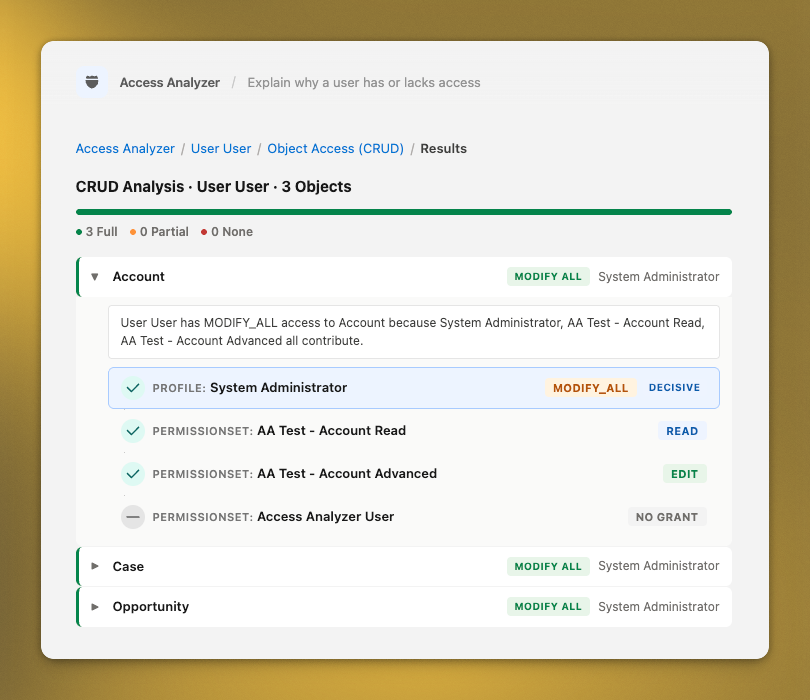
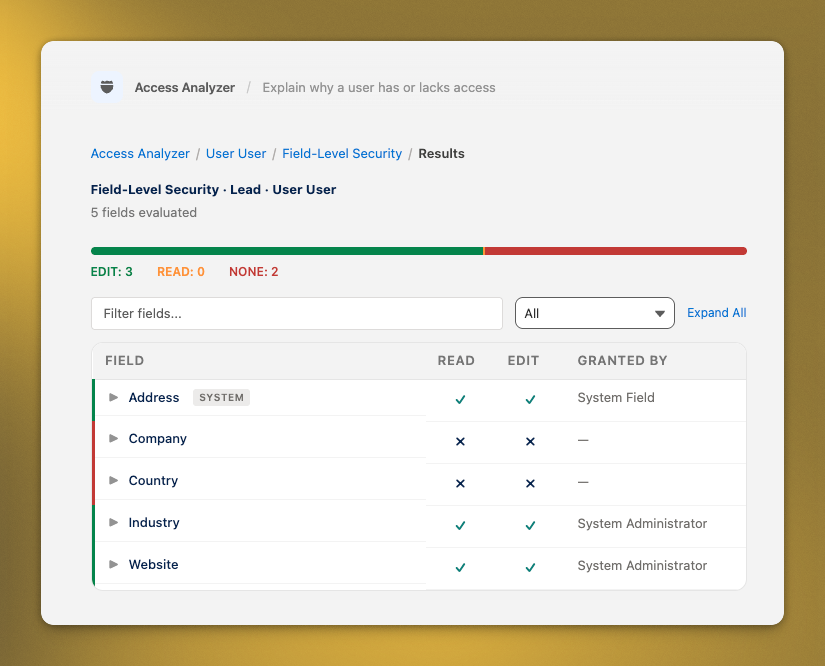
- The decisive source, highlighted. Profile, permission set, permission set group, muting set — all evaluated together. The winning source is called out so you know exactly what to edit.
- Object and field-level detail. CRUD at the object. Read/edit/hide at the field. All on one screen, for any user, on any object.
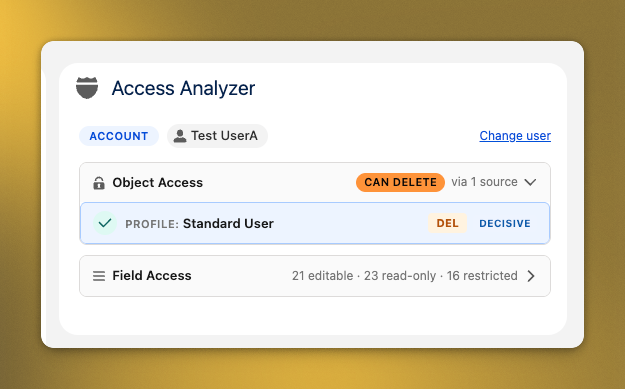
- Works on every page. A standalone app for deep audits, plus a record-page widget that auto-detects the current object. Drop it on Account, Opportunity, or a custom object — zero configuration.
- Copy-ready explanations. Plain-English sentences you can paste straight into a Jira ticket, audit note, or help-desk reply.
- Stays in your org. No external services. No data leaves Salesforce. Nothing persisted beyond the package's own metadata.
Who it's for
Admins running orgs with more than a handful of profiles and permission sets. Especially:
- Teams onboarding users into roles that were defined three admins ago.
- Security reviewers who need an evidence trail, not a theory.
- Consultants auditing an org on their first week.
How it works
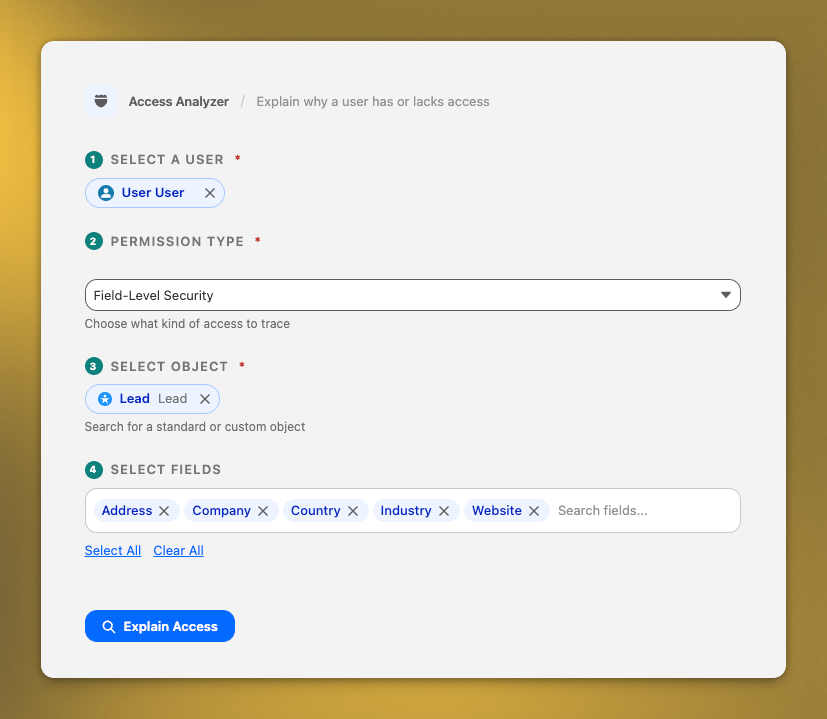
Install the package. Open the Access Analyzer app from the App Launcher, pick a user and a permission, and read the answer. Or add the Access Analyzer Widget to any Lightning record page and it auto-detects the object and user in context.
Both surfaces return the same information: every source that grants (or denies) the permission, with the decisive winner highlighted.
Salesforce edition requirements
Access Analyzer is built on Apex and Lightning Web Components, which require an edition that allows installed Apex code.
Works on: Enterprise, Unlimited, Developer, and Performance editions (including their sandboxes and scratch orgs).
Does not work on: Professional, Essentials, and Group editions — these Salesforce editions do not allow installed Apex, which the tool depends on. If you're on one of these, there's no workaround; Salesforce itself blocks the install.